- Contact Us
- -
- Payment
- -
- 中文版
Knowledge Center · 2026-11-28 09:00:24 · 7 hits
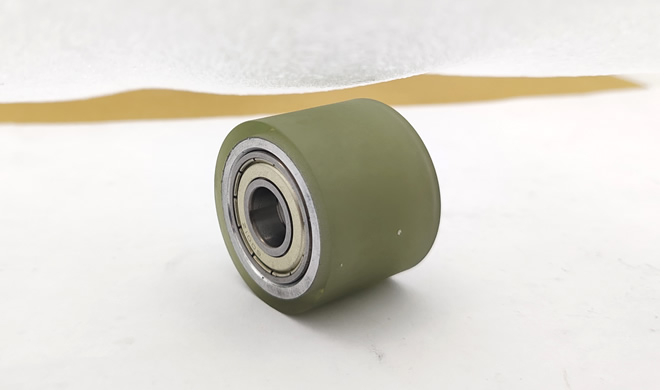
Conveyor rollers rotate continuously and are supported through bearings, shafts, and the machine frame. A rubbing sound, clicking, periodic noise, or a distinct metallic impact all indicate that something in the roller or its drive is wrong. The first step is to characterise the sound: is it continuous or periodic, and does it change between no-load and loaded operation? Different sound patterns point to very different fault locations.
1. Diagnostic Clues from the Sound
| Sound characteristic | Likely source | First area to check |
|---|---|---|
| Continuous rustling or grinding | Bearing lubrication or raceway wear | Bearing condition, rotate roller by hand |
| One knock per revolution, at a fixed interval | Roller eccentricity, bent shaft, local surface damage, belt splice | Radial runout, shaft straightness, surface |
| Squealing | Excessive belt tension, mistracking, glazed belt surface | Belt tension, alignment, belt condition |
| Metallic impact | Loose bearing housing or mounting bolts, flexible frame | Fasteners, housing position, frame rigidity |
| Noise only when the belt is running, not when the roller is spun alone | Roller-to-belt contact | Belt tracking, tension, surface debris |
2. Check the Bearings at Both Ends First
Bearings are the most common source of roller noise. Insufficient lubrication, or wear of the raceway and rolling elements, produces continuous rustling, friction sounds, or pronounced rolling noise that usually grows with speed. The acoustic signature helps: dry or depleted grease gives a steady rustle; raceway spalling gives a repeated knock once per revolution; a damaged cage produces irregular clicking.
If the bearing has developed excessive clearance or is damaged, radial wobble may accompany the noise. Rotating the roller by hand and listening with a mechanic's stethoscope is a quick first check. Adding oil is not a repair—once the raceway or rolling elements are damaged, lubrication only softens the sound temporarily. Inspect the bearing and replace it where necessary.
3. Inspect the Roller Shaft
The shaft supports the roller and transmits load. A bent, worn, or poorly fitted shaft causes runout and periodic vibration. In conveying heavy material, the shaft carries sustained load; deformation can accumulate over time and eventually appear as noise. Check whether rotation is smooth and look for abnormal looseness between shaft, bearing, and housing.
A dial indicator is useful here: measure total indicator reading (TIR) on the shaft and on the roller shell while turning it slowly. Runout at the shell may come from the shaft, the bearing, or the shell itself, so measure at each point to separate them.
4. Check Contact Between Roller and Belt
Where flat belts or other conveyor belts are used, noise may come from the roller–belt interface rather than the bearing. Excessive belt tension, mistracking, severe surface wear, or foreign material on the roller can cause rubbing, squealing, or even periodic impact. A belt splice passing over the roller produces a regular once-per-cycle knock that is easily mistaken for a bearing fault.
If the noise appears only while the belt runs and the bearings are quiet when checked separately, focus on belt tension, tracking, belt surface condition (including glazing), and cleanliness of the roller face.
5. Check for Loose Mounting
Rollers are normally held at both ends by bearing housings or similar structures mounted to the conveyor frame. Loose bolts, a shifted housing, or insufficient stiffness in the fixing structure lets the roller vibrate and amplifies mechanical noise. Such noise often changes with load as the clearances open and close.
Do not inspect the roller alone. Check both mounting ends, bearing housings, and their connections to the frame, and verify bolt torque and housing location.
6. Periodic Noise: Eccentricity and Local Damage
If the sound recurs once per revolution or at a fixed interval rather than continuously, look for radial runout of the roller, shaft bending, or local deformation of the shell. A dent, abnormal weld seam, or localized damage changes the contact condition at one angular position, producing a repeatable knock or vibration each turn. For belt-driven rollers, also inspect for local wear or material stuck to the surface.
For high-speed rollers, check balancing as well. Unbalance generates a once-per-revolution force that excites the bearings and frame; dynamic balancing to an appropriate grade (commonly ISO 21940 grades such as G6.3 or G2.5, depending on speed and application) is worth considering when replacing or rebuilding a roller.
7. Load Comparison Narrows the Cause
If the roller runs quietly empty but becomes noisy once material is added, focus on the load-carrying state of the bearings, shaft, and mounting structure. If noise is present both empty and loaded, the bearing or roller's own rotation and the belt contact are more likely.
Comparing sound across these two conditions is faster and more informative than stripping every component immediately, because it tells you whether the fault is load-dependent or inherent to rotation.
8. Purchasing Advice
When a roller must be replaced, do not order by shell diameter and length alone. Confirm roller diameter, shell length, shaft diameter, shaft-end configuration, bearing specification, surface material, and allowable load. For belt applications, also relate the specification to belt speed, tension, and material weight.
If only the bearing is being replaced, confirm its designation, mounting dimensions, and working load, and inspect the shaft for wear at the same time. Otherwise a new bearing fitted to a worn shaft or a faulty mounting will simply reproduce the noise.
9. Common Misconceptions
“Noise means the bearing is broken.” Not necessarily—belt mistracking, roller eccentricity, shaft bending, loose mounting, and foreign contact all cause noise.
“Lubricating the bearing will fix it.” If the raceway or rolling elements are damaged, grease only improves the sound temporarily; the mechanical damage remains.
“No visible wobble means the shaft is fine.” Slight bending or a poor fit may not show at low speed without load and appear only under working conditions.
“A new roller will always cure the noise.” If the real cause lies in the frame, housing, belt, or installation alignment, changing the roller alone will not remove it.
FAQ
Where should I start when a conveyor roller makes noise?
Usually with the bearings at both ends, then the shaft, belt contact condition, and mounting structure.
What causes periodic noise from a roller?
Check eccentricity, shaft bending, local deformation of the shell, and foreign material attached to the surface.
What if the roller is quiet empty but noisy under load?
Inspect the bearings, shaft, and mounting for abnormal loading or deformation under working conditions.
Can belt mistracking cause roller noise?
Yes. Mistracking can make the belt rub the roller or frame, producing friction and periodic noise.
What parameters should be confirmed when replacing a roller?
Roller diameter, length, shaft diameter, shaft-end configuration, bearing specification, surface treatment, and actual conveying load.
Copyright © 2016-2025 Forrun (Guangdong) Industrial Technology Co., Ltd All Rights Reserved.